The Online Management System
Your management system, always audit-ready.
The OMS (online-ms.io) is pre-configured to meet the requirements of the management system standards. We tailor it to your organisation, so from day one you work in an environment you recognise.
Guided tour
Six modules, one overview.
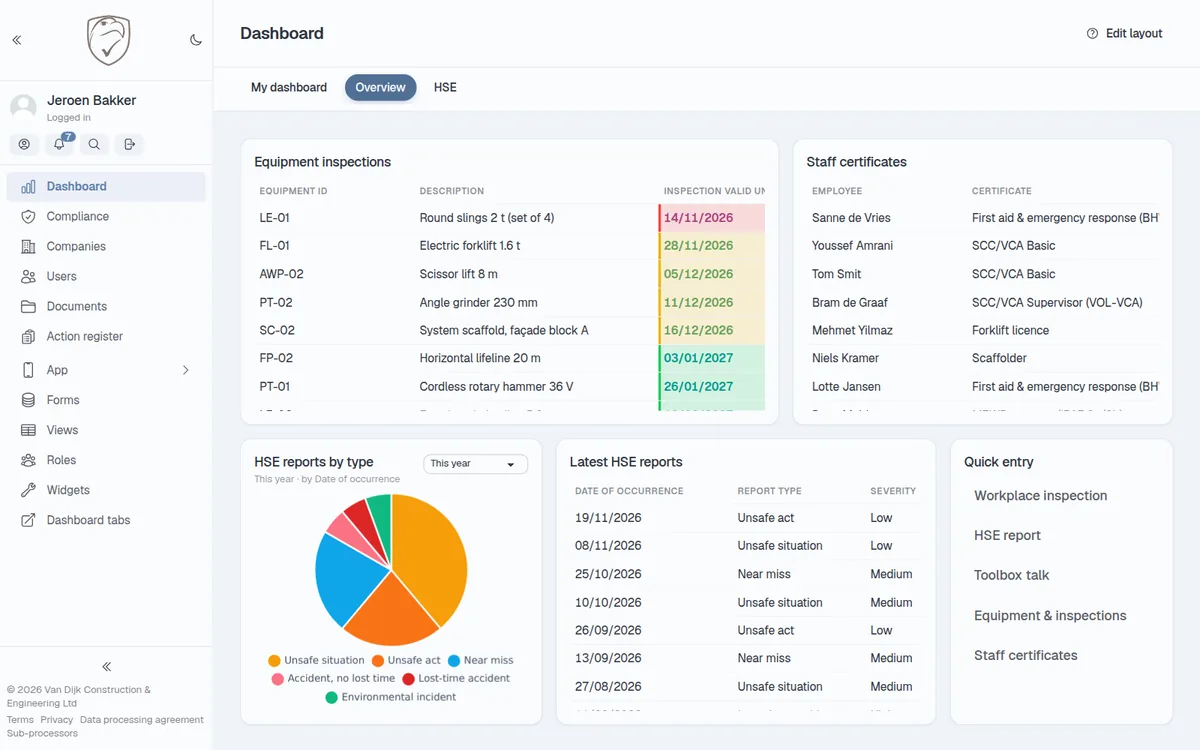
The whole system on one screen
Open actions, expiring certificates and inspections, progress per standard: the dashboard shows what needs attention today, so nothing falls through the cracks.
- Actions with an owner and a deadline
- What expires soon, at the top
- Tailored to the user’s role
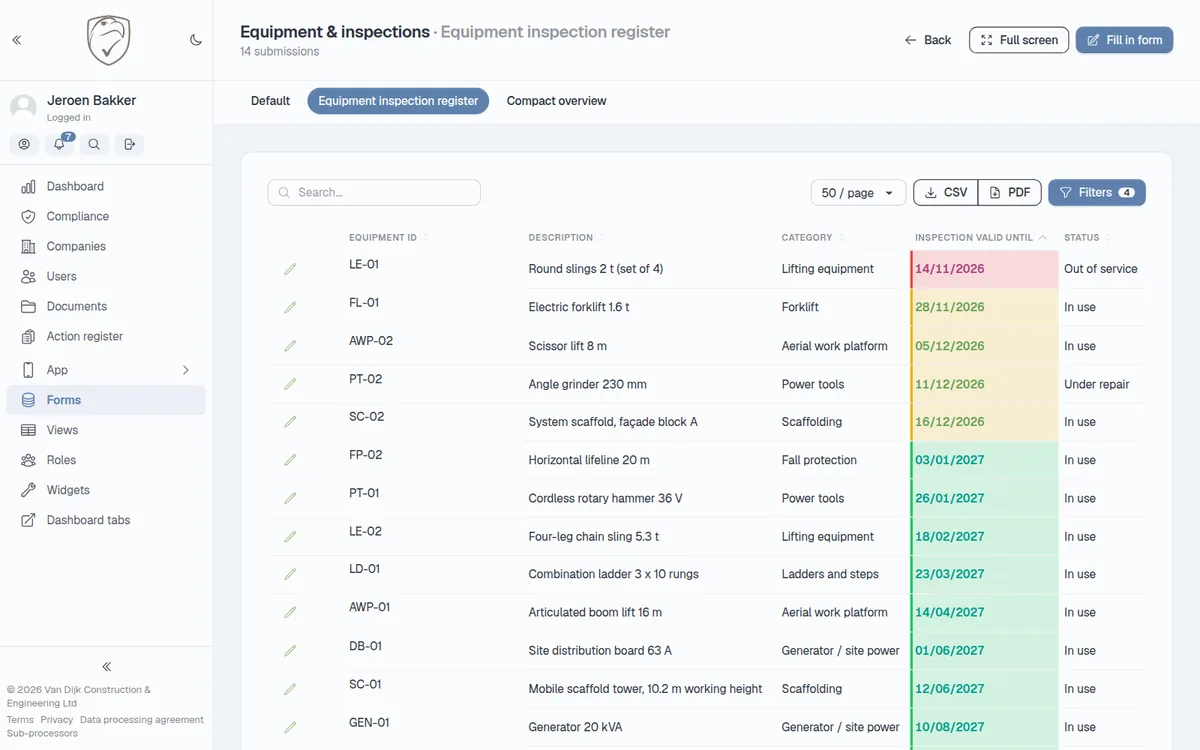
Inspections under control
All your equipment with its inspection status and certificate, sorted by expiry date. The system colour-codes what has expired or is about to, and sends an email in good time, so there are no surprises at the audit.
- Inspection status with a certificate per item
- Colour and email before the expiry date
- History kept per item
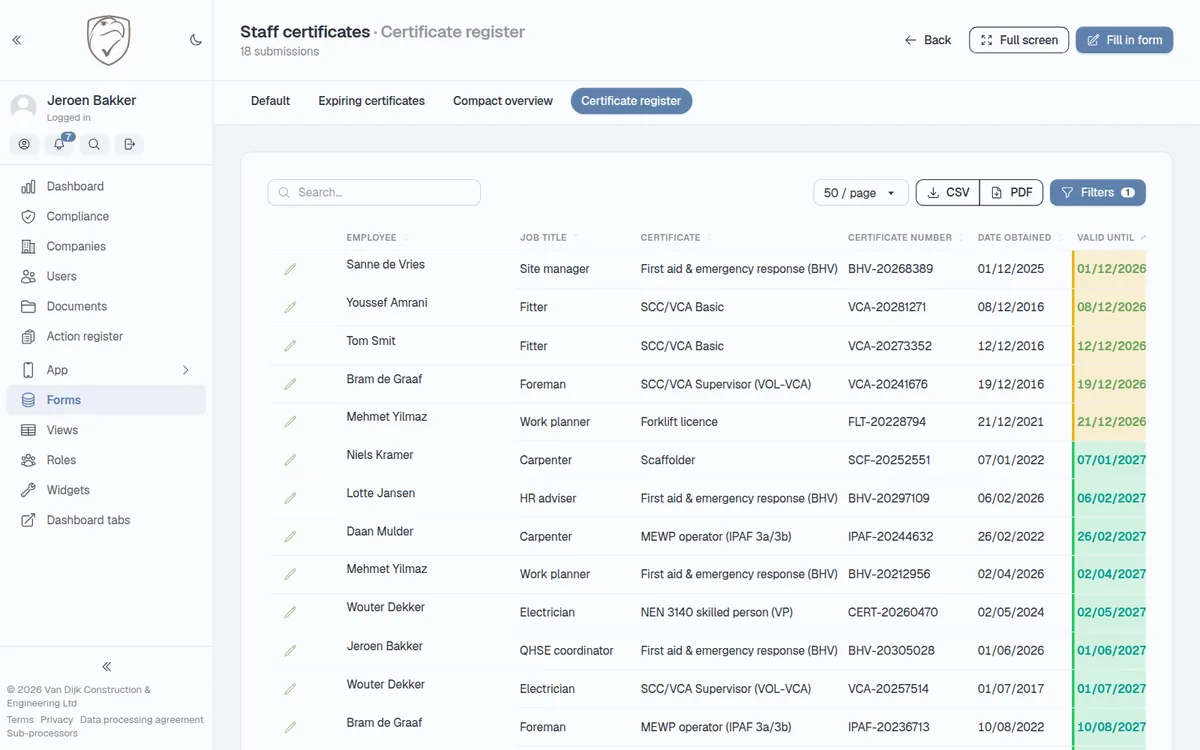
Who may do what, and until when
SCC/VCA diplomas, company emergency response (BHV), forklift certificates and other training per employee, with expiry dates. You see at once who can be deployed and who is due for a refresher soon.
- Certificates per employee
- A reminder before a diploma expires
- Overview per team or site
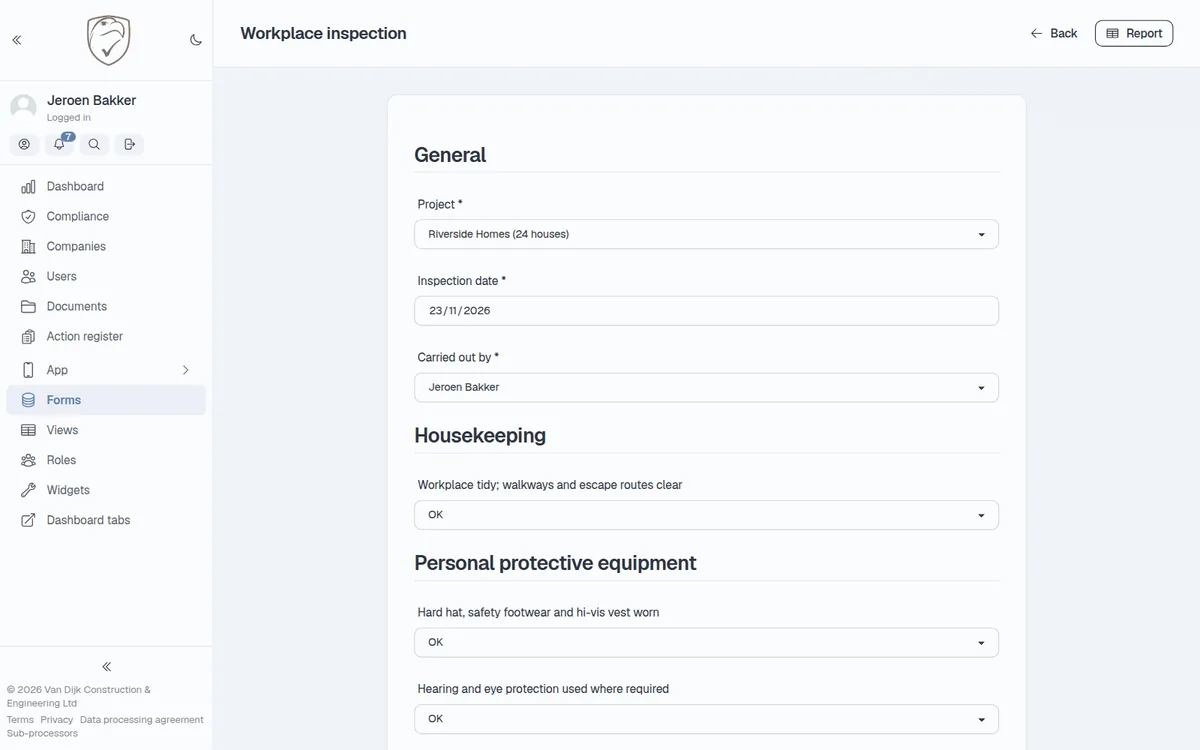
From paper form to one click
Workplace inspections, HSE reports, toolbox talks: everything you need to record, you fill in digitally. At the office, or on site with the Online MS app, with a photo attached. Straight into the right place, ready for reporting.
- Forms tailored to your standard
- Online MS app for iPhone and Android
- Take and attach photos
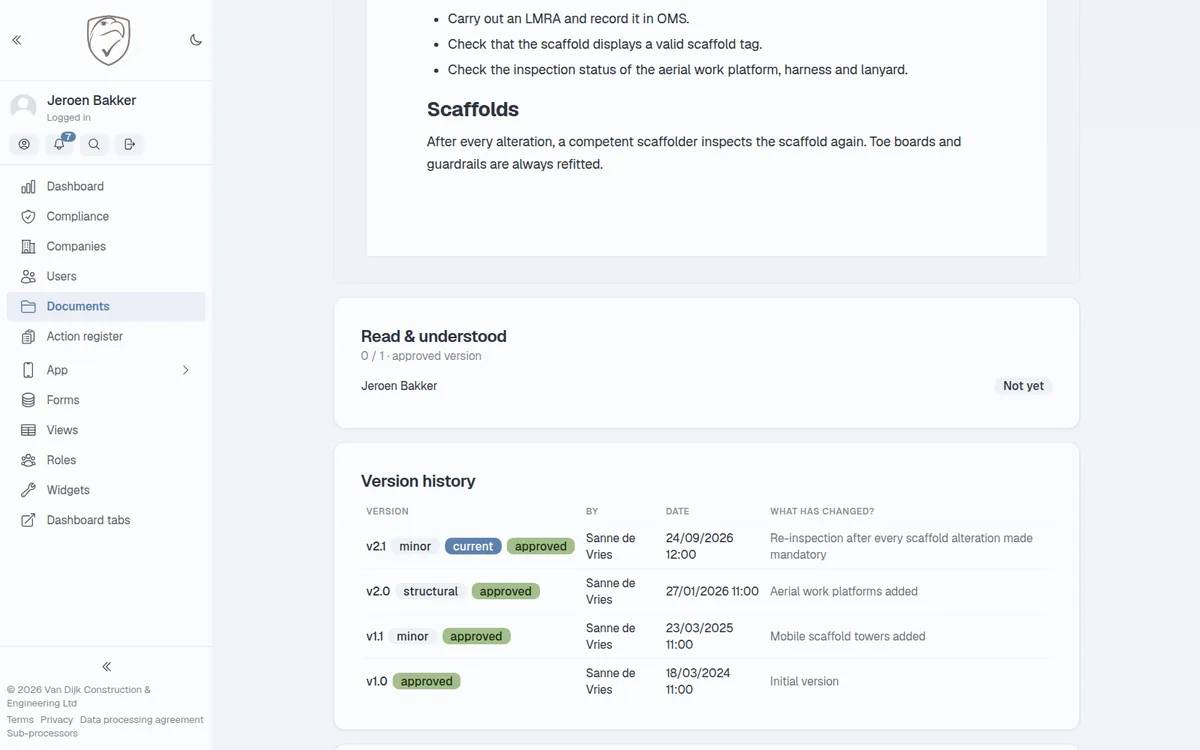
One version of the truth
Manual, procedures, instructions and forms in one place, with version control. Everyone works with the latest version, and you show the auditor exactly what they need to see.
- Version control without searching
- Permissions per role
- Accessible at every location
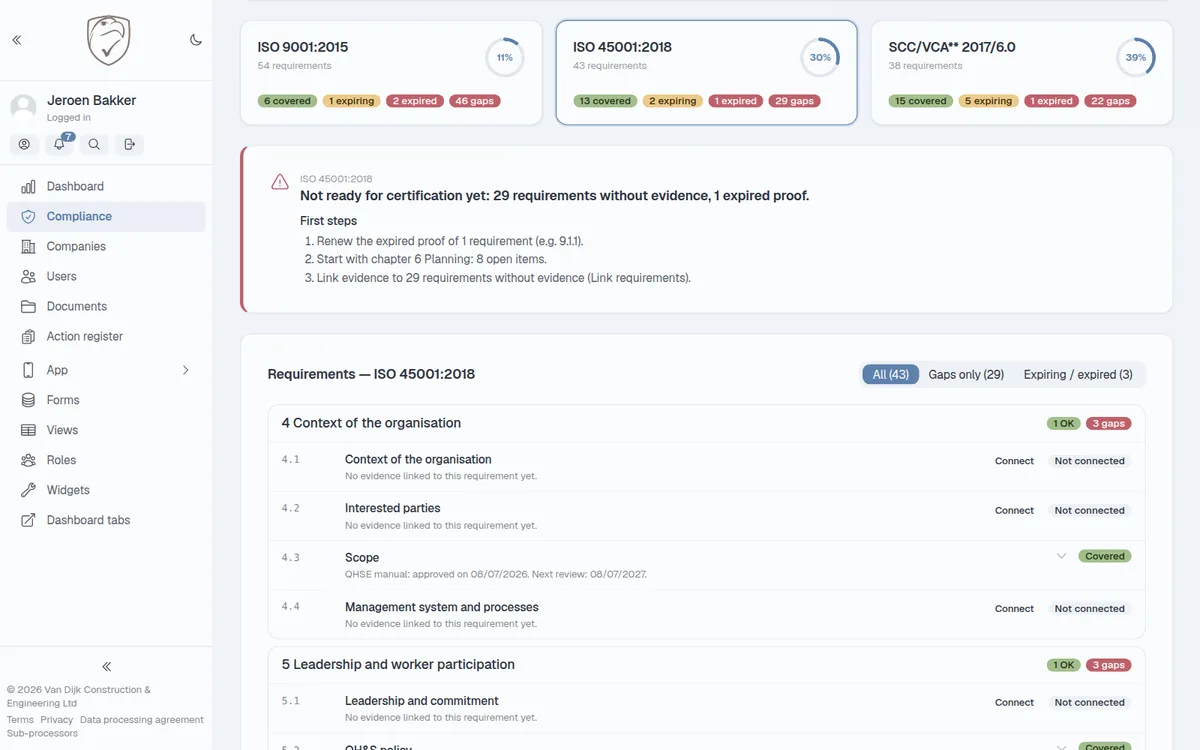
Into the audit without stress
For each standard you see live which requirements are covered, what expires soon and where there is still a gap. You carry out internal audits and the management review in the system, and the auditor gets temporary access.
- Coverage per standard and per clause
- Corrective actions followed up
- Temporary access for the auditor
The Online MS app
The OMS in the pockets of your employees.
Whoever is on site records it right there. With the Online MS app for iPhone and Android, your employees fill in the forms of your own OMS, with a photo attached, and it is in the system straight away.
- Sign in with their own OMS account, in your company’s house style.
- Your own forms: workplace inspections, HSE reports, toolbox talks, just as you set them up in the OMS.
- Attach photos and files, straight from the camera or from the gallery.
- View their own submissions and add to or correct them where needed.
More about the system itself: online-ms.io (opens in a new window)
Made for everyday work
Everything you need, nothing that distracts you.
Roles and permissions
Users get access to the parts of the OMS that fit their role. Clear for everyone, secure for you.
Multiple sites and languages
One system for all your locations, in multiple languages. Ideal for organisations with international staff.
Reminders that work
A visual signal and an email before an inspection or certificate expires. Nobody has to remember it any more.
Access for the auditor
Give the auditor temporary access. They see the evidence directly; you do not have to search for or print anything.
Frequently asked questions
About the OMS
Is the OMS secure?
You work over a secure connection. Every user has their own account with exactly the permissions that fit their role, and sees only the parts that are relevant to them.
Do I need to install software?
No. The OMS works in the browser, on a computer and on a phone or tablet. That way employees can also fill in records on site.
Can I use the OMS for several standards at once?
Yes. Many clients combine SCC/VCA with ISO 9001 and ISO 14001, for example. Because the standards share the same structure, you manage them in one system without duplicated work.
What happens to my data?
Your data remains yours and is kept in your own, protected environment. Only users you give access to, and temporarily the auditor, can reach it.
Seeing is believing
See the OMS in action.
In a 30-minute demo we show you how the OMS works for your standard and your organisation. No obligation, and with honest advice on what you need.